
One pass.
One arrival.
Directions.
Visitor Connect is a QR pass and entrance check-in system for school open days. Staff scan a pass once. The screen returns the activity, room and time that visitor needs next.
This page loads sample records, not live visitor data.
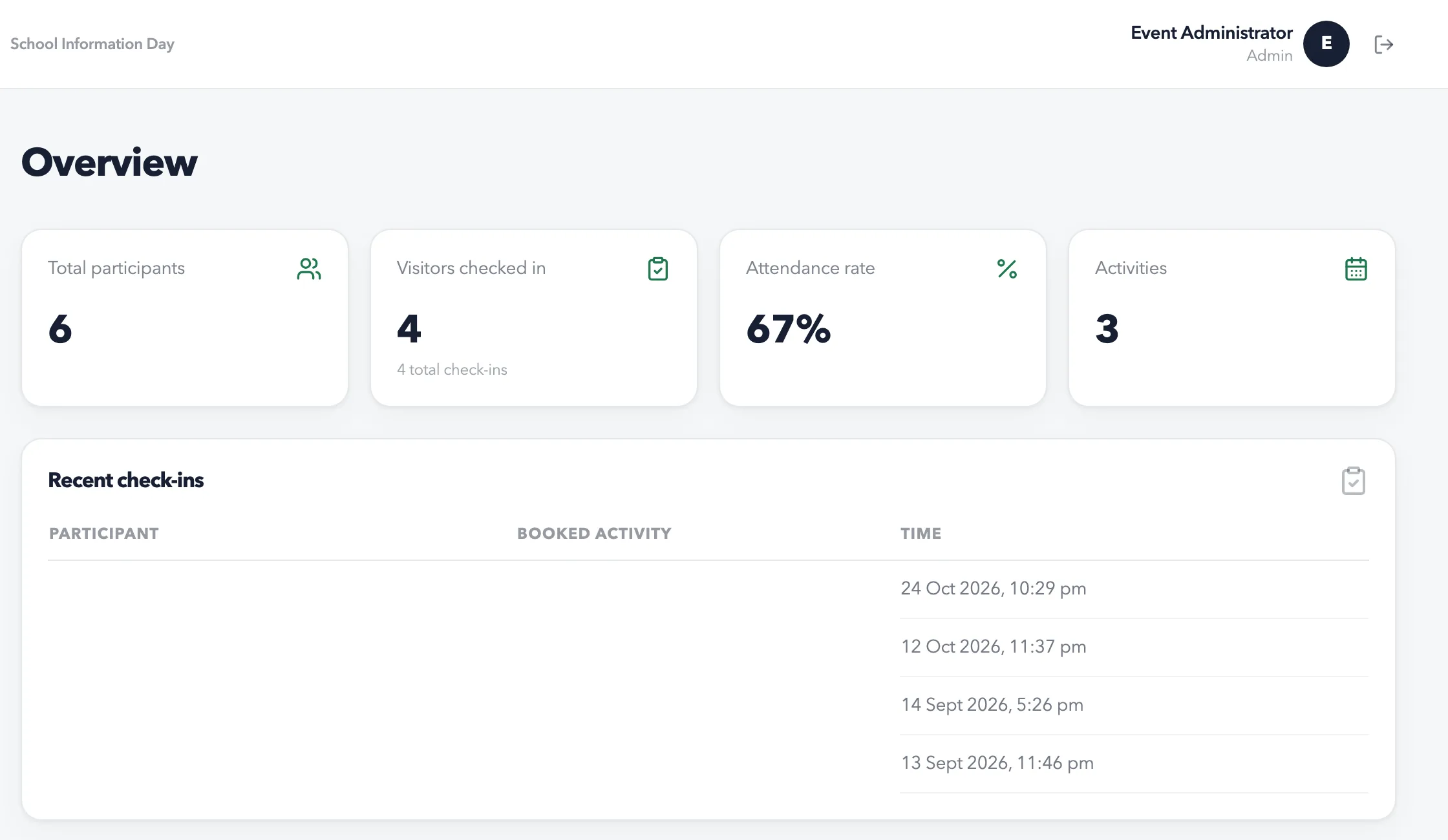 Open the interactive demoOverview →
The entrance decides directions, not permission.
A booking confirms where a visitor should go. It does not decide whether they may enter. The screen keeps the route visible until a helper confirms they have given the directions.
Scan the same pass twice and the arrival does not double. The route does. A visitor with no booking is sent to the welcome desk, not turned away.
The route waits for a human acknowledgement.
Four states. One rule.
The database holds the line. The screen can be slow, offline or wrong; Postgres still allows one arrival per visitor.
| State | What staff see | What the system does |
|---|---|---|
| First scan | Arrival recorded. The route prints with the room and time. | One attendance row. The scan quota is consumed and the directions are returned. |
| Scan again | “Already arrived.” The same room and time come back. | The unique visitor key refuses a second row. The route is read again. |
| No booking | “Welcome desk, Main Hall.” | There is no activity row. General entry is not a booking and is not capacity-limited. |
| Connection down | “Queued on this device.” It syncs when the connection returns. | The device keeps pass tokens, names and rooms only. The upload still asks the server. |
An arrival is not room attendance. Teachers see who reached the building, not who sat in the room.
Before the doors open.
A deployment starts with the programme, not the scanner. The first three steps happen before the day; the fourth is the only one that has to work in a queue.
Excel import · Bilingual pass · Teacher rosters · Offline queue
-
01
Import the list
Excel or manual entry. Each visitor gets a code and at most one activity besides general entry.
-
02
Set the programme
Rooms, start and end times, categories and capacity. General entry is exempt from the capacity rule.
-
03
Issue the passes
Email, download, or save to a phone. The QR token is the only thing in the pass; no names or email addresses.
-
04
Scan at one entrance
Scan a pass or search by code. A manual check-in confirms identity first. The result waits for acknowledgement.
A real staff surface. A private deployment.
Staff sign in with the school's identity provider or a password. Admins prepare the programme and visitors; helpers run the entrance; teachers see arrival status for their own activities.
- Admin
- Programme, visitors, passes and the audit trail.
- Helper
- Scan, look up and confirm directions at the entrance.
- Teacher
- Read-only arrivals for the activities they teach.
The live deployment is private. This example contains no school identity or live account.

Built for one school, adaptable to another.
Visitor Connect is not a multi-tenant product. Each deployment is a deliberate change: the programme, rooms, identity provider, sender address and pass wording belong to the school or organisation running it.
Changes per deployment
- The programme, rooms, dates and capacity.
- The school identity, sign-in providers and sender address.
- The pass wording and the languages a visitor sees.
- The roles and who can open the entrance screen.
Stays the same
- One arrival per visitor, enforced by the database.
- One activity per visitor, with general entry exempt.
- A duplicate scan returns the same route.
- An offline scan is provisional until the server answers.
Deployments start with a conversation.
Build notes.
The product is a Next.js 15 web app with Supabase Postgres, Auth and RLS, plus a SwiftUI iPad companion. This page is Vite and vanilla JavaScript: no framework, no runtime dependencies.
- Web
- Next.js 15, React 19, TypeScript, Tailwind 3
- Data
- Supabase Postgres, Auth and RLS
- Entrance
- QR token, scan or lookup, offline queue
- iPad
- SwiftUI, iPadOS 17 and later
- Site
- Vite, HTML, CSS and JavaScript
The invariants are database objects, not UI states.
attendance
  participant_id  unique

activity_participants
  one non-general activity per visitor
  capacity checked before insert

scan_check_in(...)
  actor, token, quota, arrival
  one call, one answer
The scanner verifies the actor and the token, consumes the scan quota and records the arrival in one database call. A helper can check in any visitor; an activity booking is not scanning permission.
Source available on request